> For the complete documentation index, see [llms.txt](https://docs.trustform.io/guide/llms.txt). Markdown versions of documentation pages are available by appending `.md` to page URLs; this page is available as [Markdown](https://docs.trustform.io/guide/onboarding-and-reviewing/review-management/review-clients.md).
# Review clients
Learn how to review and verify clients accounts directly in Trustform.
## Overview
Account review is performed by users with review capabilities – for example, Compliance Officers – once the account has been fully completed by an Account Manager. Each form in the application must be individually approved or rejected. The review can be done form by form or in bulk, and decisions can be changed at any time if new information becomes available.
## Review the Account
To review the account, follow these steps:
{% stepper %}
{% step %}
#### Identify forms awaiting review
In the **Applicant tab**, all forms pending review are marked with a blue clock icon in the sidebar and also listed in Tasks.
{% endstep %}
{% step %}
### Check the information
Review all the information carefully. Note that you can open documents directly in your browser without downloading them. You can open any uploaded document in Trustform as a PDF — simply click the **eye preview icon** next to the file name, and the document will open in a separate browser tab for quick viewing.
{% endstep %}
{% step %}
#### Approve or reject an individual form
Open any form – at the bottom of the page, you will find the Make Decision button.\
Use it to Approve or Reject that specific form.
* **A green icon** means the form has been approved.
* **A red icon** means the form has been rejected or requires updates.
{% hint style="info" %}
You can change your decision at any time.
{% endhint %}
{% endstep %}
{% step %}
#### Bulk review (optional)
If you prefer not to open each form individually, click **Bulk Review**. This opens a window where you can make a decision on all pending forms at once.
{% endstep %}
{% step %}
#### Final account status
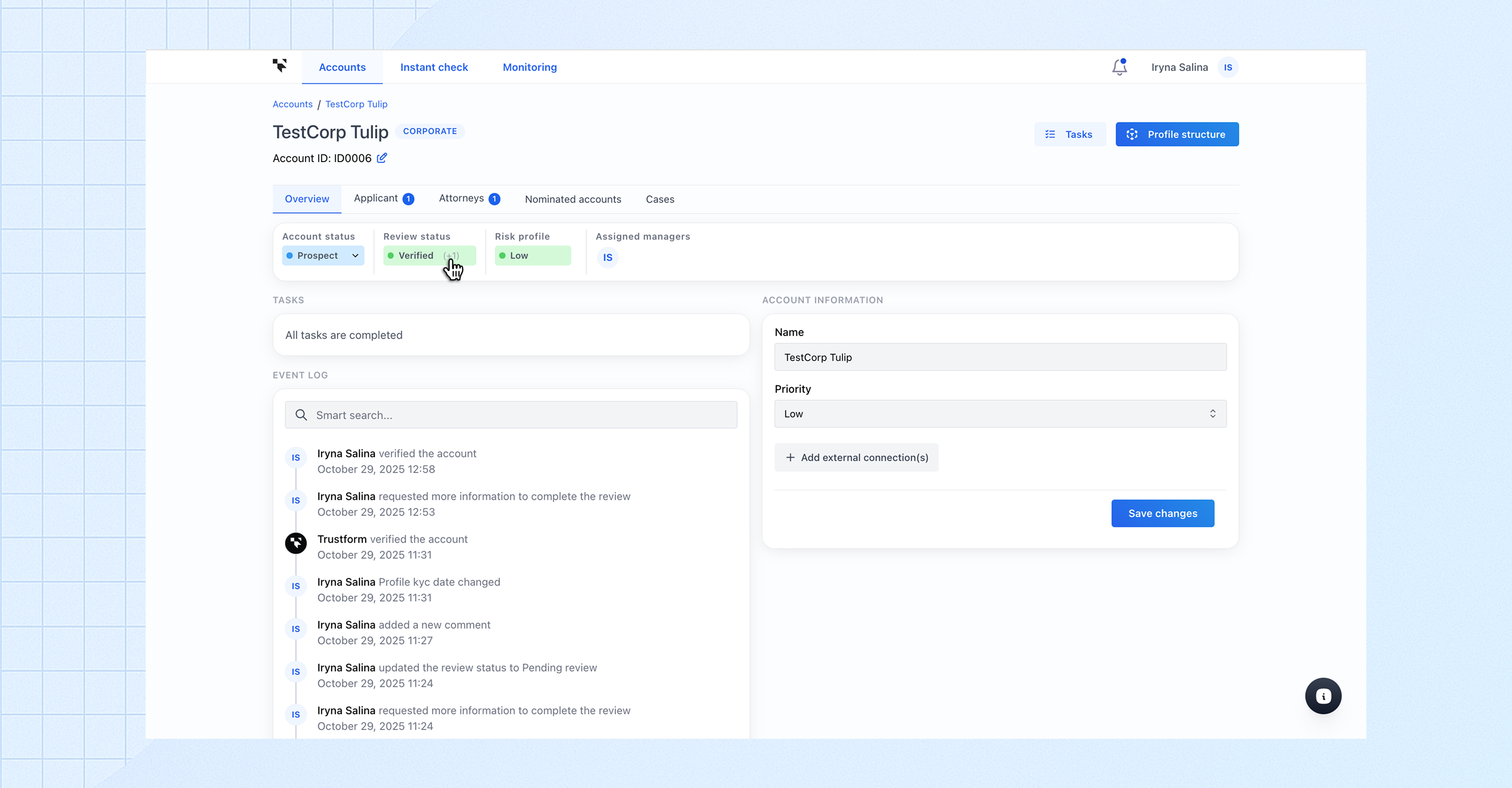
* **If all forms are approved**, the account status automatically changes to **Verified**.
* **If at least one form is rejected**, the status becomes Update **Required**.
The assigned Account Manager will be notified and prompted to update the rejected form(s).
{% endstep %}
{% endstepper %}
## Review Status Changes
If minor updates are made to the account – for example, a nominated account is added – this does not affect the **Review status**.
However, if significant changes occur, such as an update to the client’s address details, the **Review status** will automatically change to **Pending Review**, even if it was previously **Verified**.
{% hint style="warning" %}
In this case, the Сompliance Officer must review the updated form and issue an **Approved** decision. After that, the **Review status** will automatically return to **Verified**.
{% endhint %}
## Assign Account Status
{% stepper %}
{% step %}
#### Assign the account’s risk level
* Click **Risk Profile** in the account Overview or access it via **Tasks.**
* In the pop-up window, select the **risk level**, set the **last review date**, and optionally add a comment or upload a document.
* Click **Save Changes**. You can revise the risk level at any time.
{% endstep %}
{% step %}
#### Set the account status
* Open the **Account Status** dropdown and select the appropriate status.
* This status can be changed at any time.
{% hint style="warning" %}
Selecting Archived permanently removes the account from the system.
{% endhint %}
{% endstep %}
{% endstepper %}
## Comments
You can **add a comment** to a form at any time – both during client onboarding and during the account review. To do so, click the Comments button at the top or bottom of the form and enter your note. **Comments are visible to all users who have access to the account.**
{% hint style="info" %}
The button at the top of the form also shows the number of comments that have already been added.
{% endhint %}