> For the complete documentation index, see [llms.txt](https://docs.trustform.io/guide/llms.txt). Markdown versions of documentation pages are available by appending `.md` to page URLs; this page is available as [Markdown](https://docs.trustform.io/guide/onboarding-and-reviewing/review-management/periodic-kyc-review.md).
# Periodic KYC Review
Learn how to track and manage periodic KYC reviews for client Profiles in Trustform.
## Overview
Trustform helps ensure that scheduled periodic KYC reviews are completed on time and are not missed. The system supports timely collection of updated information and helps keep client Profiles up to date from a compliance perspective.
## Review notifications and status
Trustform notifies the Account Managers assigned to a Profile when a KYC review is approaching, due, or overdue.
Notifications are sent:
* **one month before** the scheduled review date;
* **on the review date**;
* **after the review date**, if the review becomes overdue.
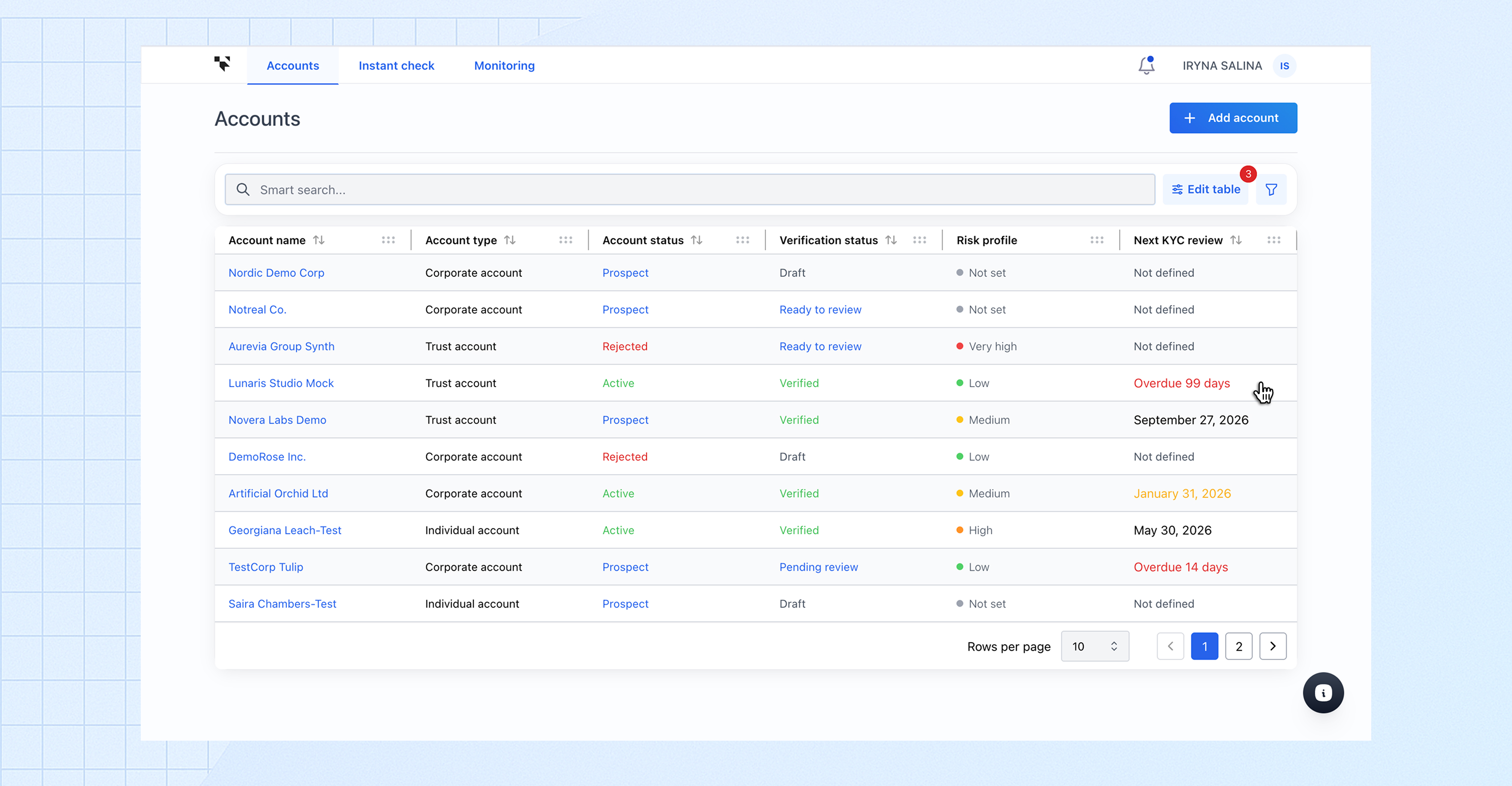
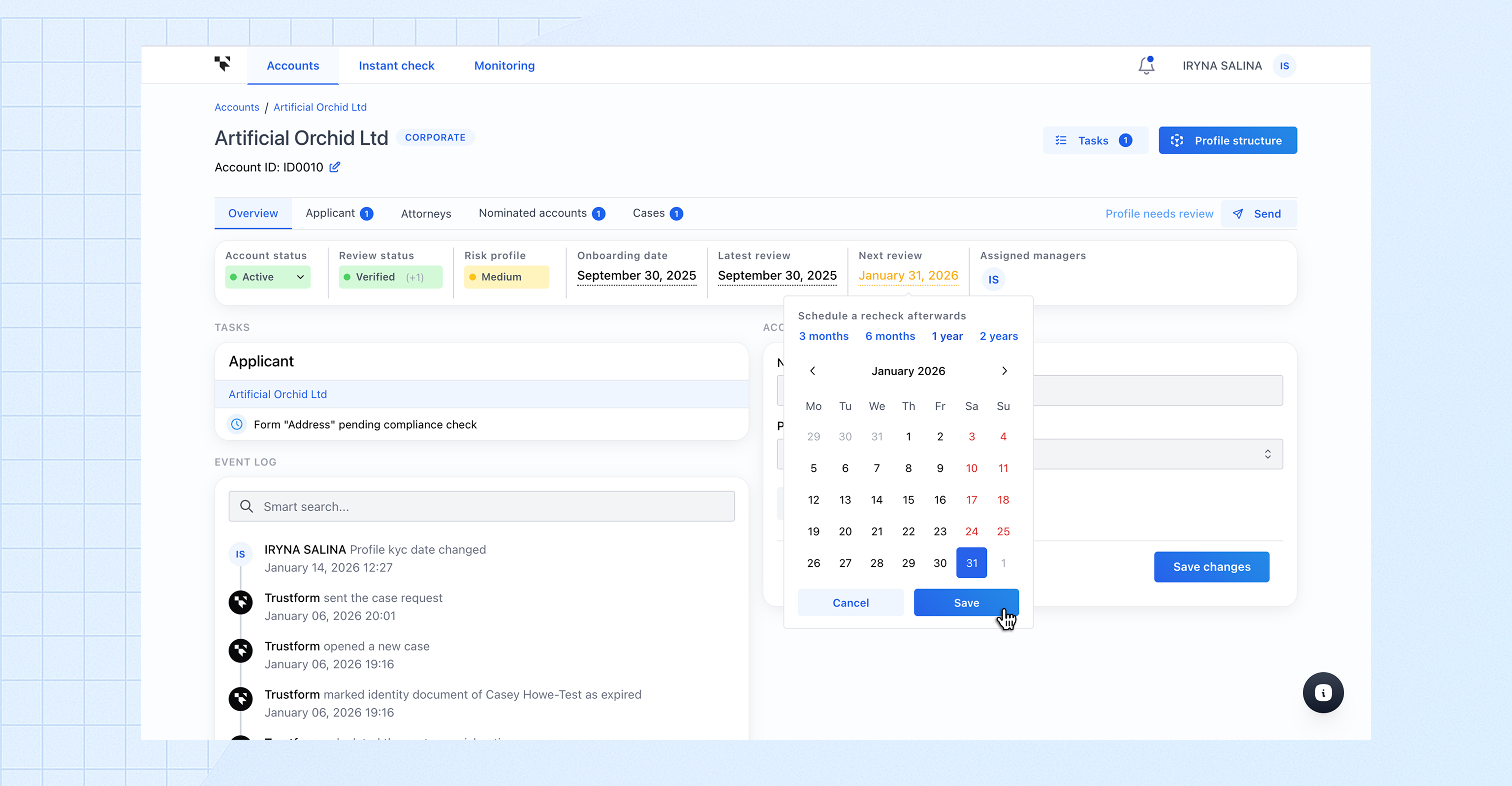
The next KYC review date is visually displayed in the interface:
* review dates that are one month away are highlighted **in yellow**;
* overdue review dates are highlighted **in red** and show the time elapsed since the review date was reached.
## Performing a periodic KYC review
{% stepper %}
{% step %}
#### Sending a Profile for review
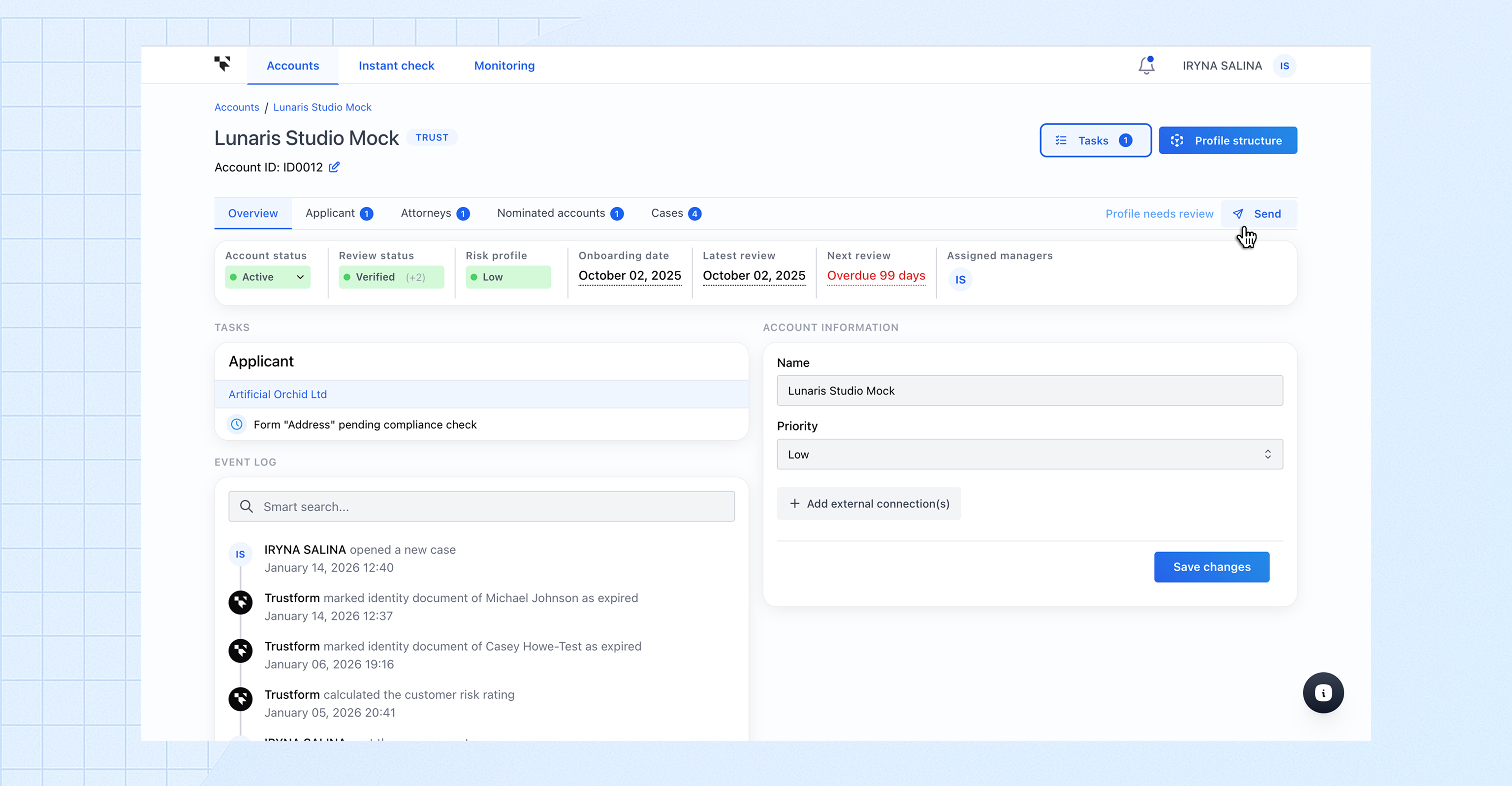
An Account Manager can initiate the review by clicking **Send** and selecting the Compliance Officer to whom the Profile should be assigned.\
This step is **optional** — a Compliance Officer can start the review without the Profile being sent by an Account Manager.
{% endstep %}
{% step %}
#### Reviewing changes
As part of the review, the Compliance Officer should check whether any changes have occurred in the client Profile and make updated decisions where required.
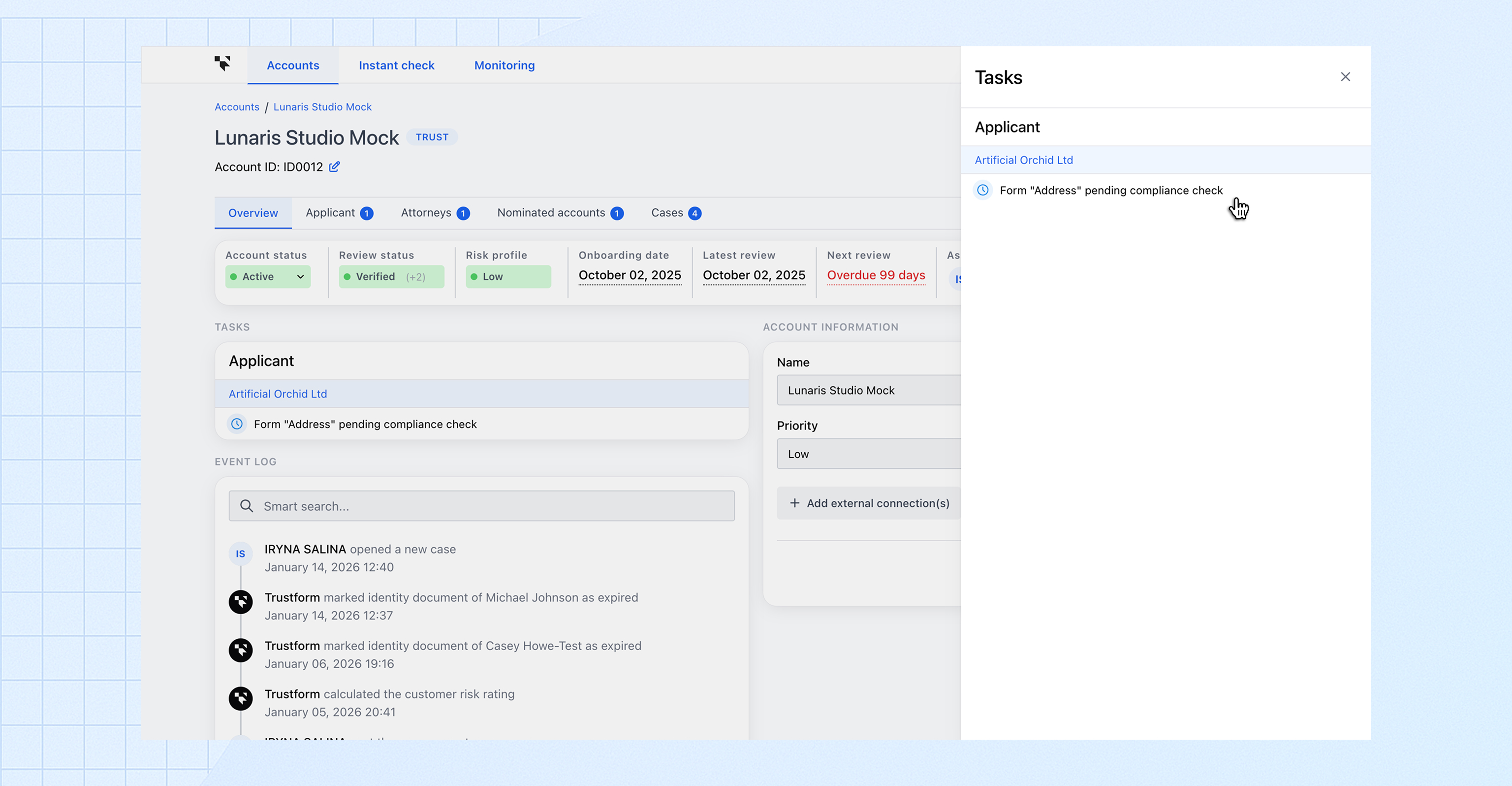
The **Tasks** panel supports this process by grouping all actions that need to be completed during the KYC review.
{% endstep %}
{% step %}
#### Requesting additional information (optional)
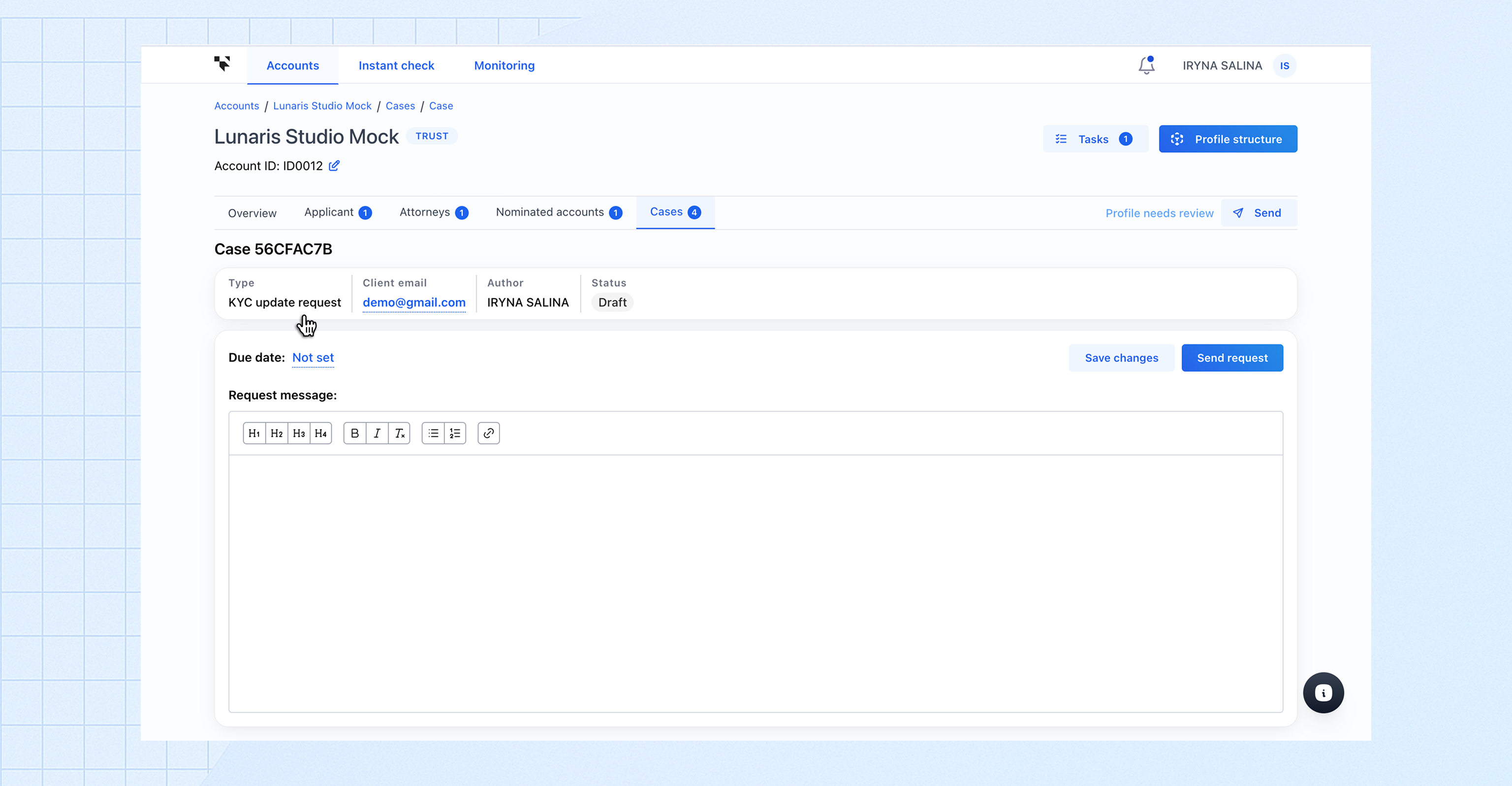
If additional information or documents are required during a periodic KYC review, a request can be created using **Case Management**.
For this purpose, a **dedicated case type for periodic KYC review updates** is available. It allows Account Managers and Compliance Officers to request additional information from the client, track the status of the request, and easily locate these cases in the client case list using filters.
{% endstep %}
{% step %}
#### Completing the review
Once the periodic KYC review is complete, the Compliance Officer should finalise the review in the system by:
* setting the **Last Review Date**;
* defining the **Next Review Date** using the available standard intervals *(3 or 6 months, 1 or 2 years)*;
* updating the **account status** and **risk level**, if required.
This records the outcome of the review and ensures that the next periodic KYC review is scheduled.
{% endstep %}
{% endstepper %}