> For the complete documentation index, see [llms.txt](https://docs.trustform.io/guide/llms.txt). Markdown versions of documentation pages are available by appending `.md` to page URLs; this page is available as [Markdown](https://docs.trustform.io/guide/getting-started-and-settings/data-and-settings/status-page.md).
# Status Page
Learn how to monitor Trustform service availability and subscribe to status updates.
## Overview
Trustform provides a **Status Page** – a public page that displays the current operational status of the platform and a history of recent incidents. It allows your team to quickly determine whether an issue is on Trustform’s side without needing to contact Support.
To open your tenant’s status page, use the same **cluster name** that appears in your tenant URL. Your tenant URL always follows this pattern:
`tenant_name.cluster.trustform.io`
To access the status page, replace the tenant name with **status** and keep the same cluster:
`status.cluster.trustform.io`
{% hint style="success" %}
If you experience any issues or cannot access the status page, you can always contact our support team for assistance.
{% endhint %}
## Status Page Structure
What you can view on the Status Page:
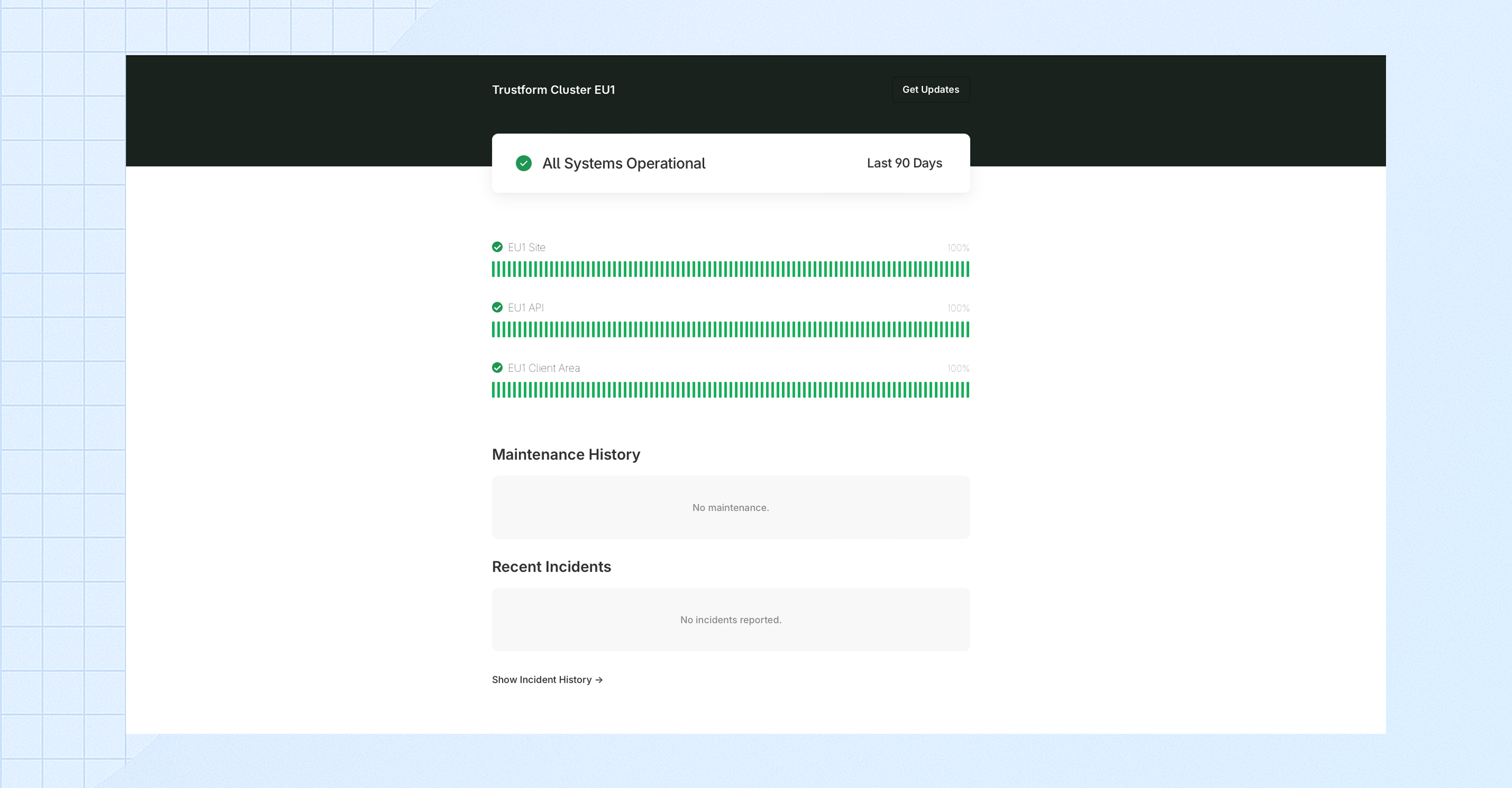
* **All Systems Operational**\
A high-level indicator at the top of the page shows the overall platform status. If there is an incident or maintenance in progress, this message will change accordingly.
* **Site / API / Client Area**\
Displays the individual status of each system component in the EU1 cluster. This allows you to see which specific parts of the platform are operational or affected.
* **Recent Incidents**\
SProvides a record of previously completed planned maintenance activities.
* **Maintenance History**\
A record of previously completed planned maintenance activities.
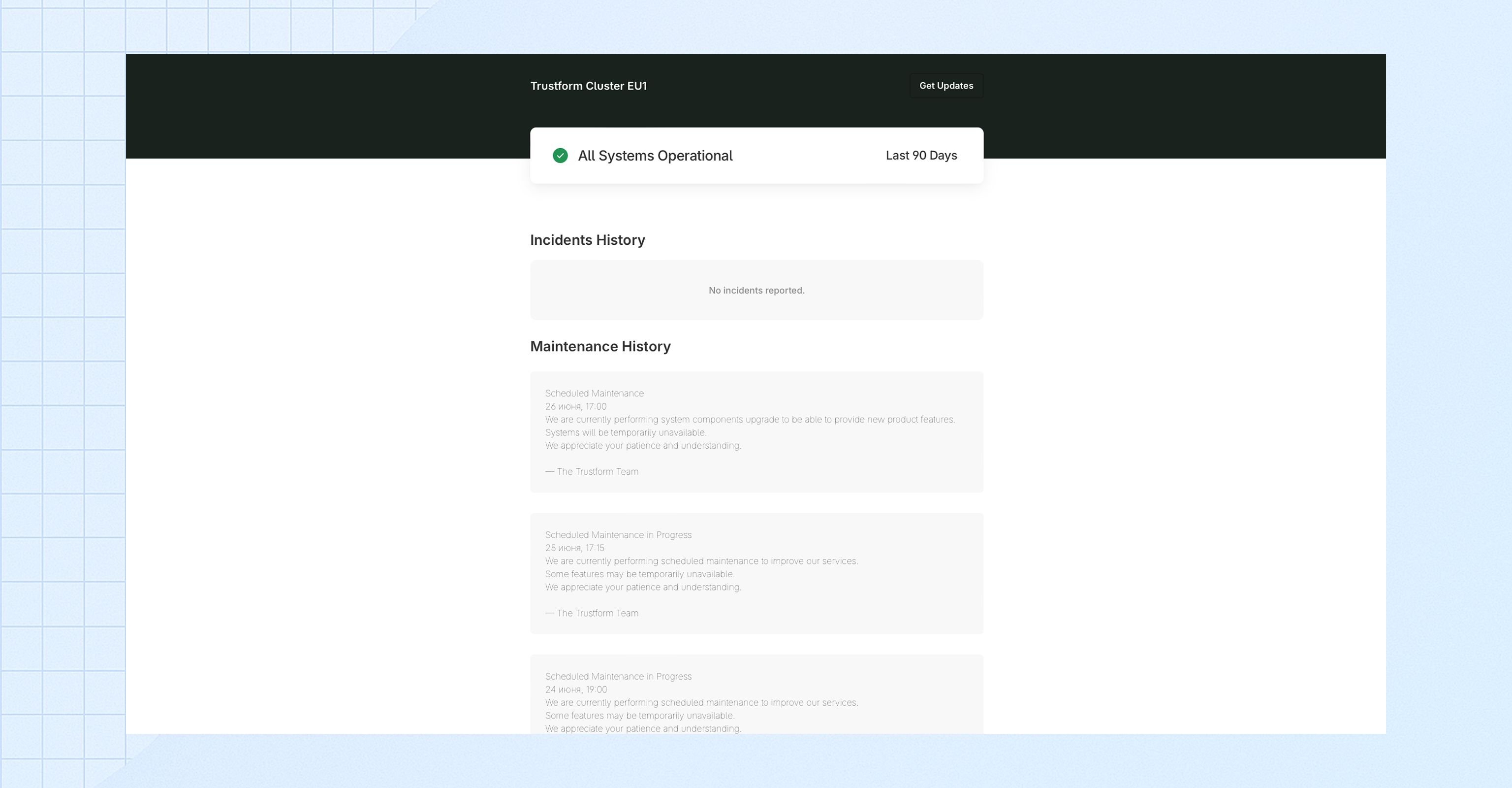
### **Incidents History**
A separate page is available where you can view the full Incidents History – it includes all past incidents and status updates presented in chronological order.
### Subscribe to updates
You can subscribe to receive automatic email notifications about incidents and maintenance updates. To do so, click **Get Updates**, enter your email address, and submit the form. You will then receive a confirmation email – please make sure to confirm your subscription to activate the notifications.