> For the complete documentation index, see [llms.txt](https://docs.trustform.io/guide/llms.txt). Markdown versions of documentation pages are available by appending `.md` to page URLs; this page is available as [Markdown](https://docs.trustform.io/guide/onboarding-and-reviewing/kyc-aml-checks/id-verification.md).
# ID verification
Learn how to verify a client’s identity document in Trustform as part of the due diligence process.
## Overview
ID verification is a standard component of Customer Due Diligence – it confirms the authenticity of a person’s identity document. Trustform integrates with the IDenfy identity verification service to perform this check.
During verification, IDenfy validates the document’s template, font, and data consistency, and identifies potential signs of fraud.
{% hint style="info" %}
Only logged-in Trustform users with the Account Management capability can run ID verification.
{% endhint %}
## Run ID Verification
To start an ID verification, follow these steps:
{% stepper %}
{% step %}
#### Open the Сlient account
Go to the Accounts page, select the relevant client, and open their profile.
{% endstep %}
{% step %}
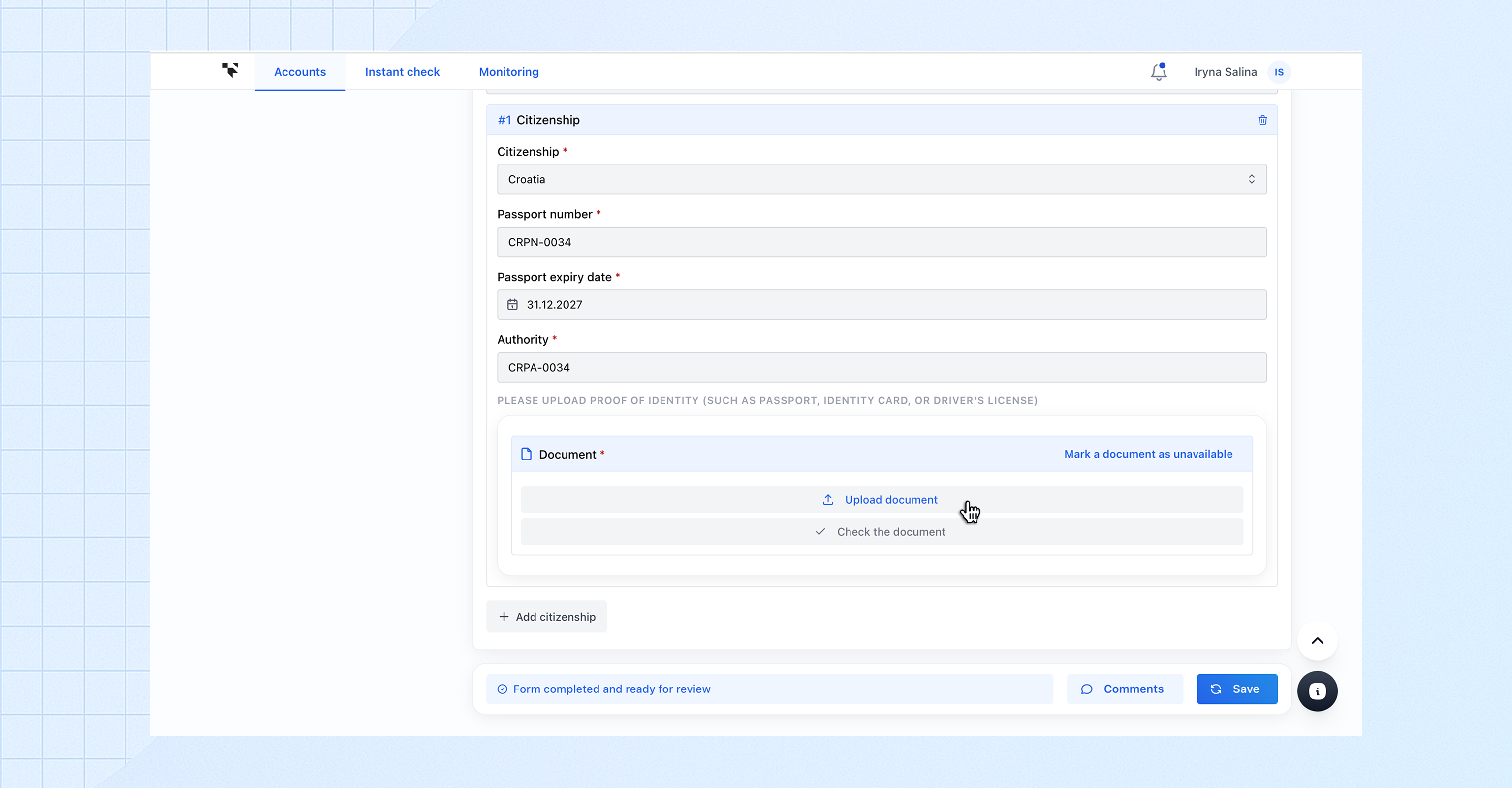
#### Go to the Proof of Identity section
Navigate to Applicant → Personal Details → Citizenship → Proof of Identity.
{% endstep %}
{% step %}
#### Upload the identity document
Click **Upload document**, select the file(s) containing the front and back of the ID, and upload them. Once the upload is complete, click **Check the document**.
{% endstep %}
{% step %}
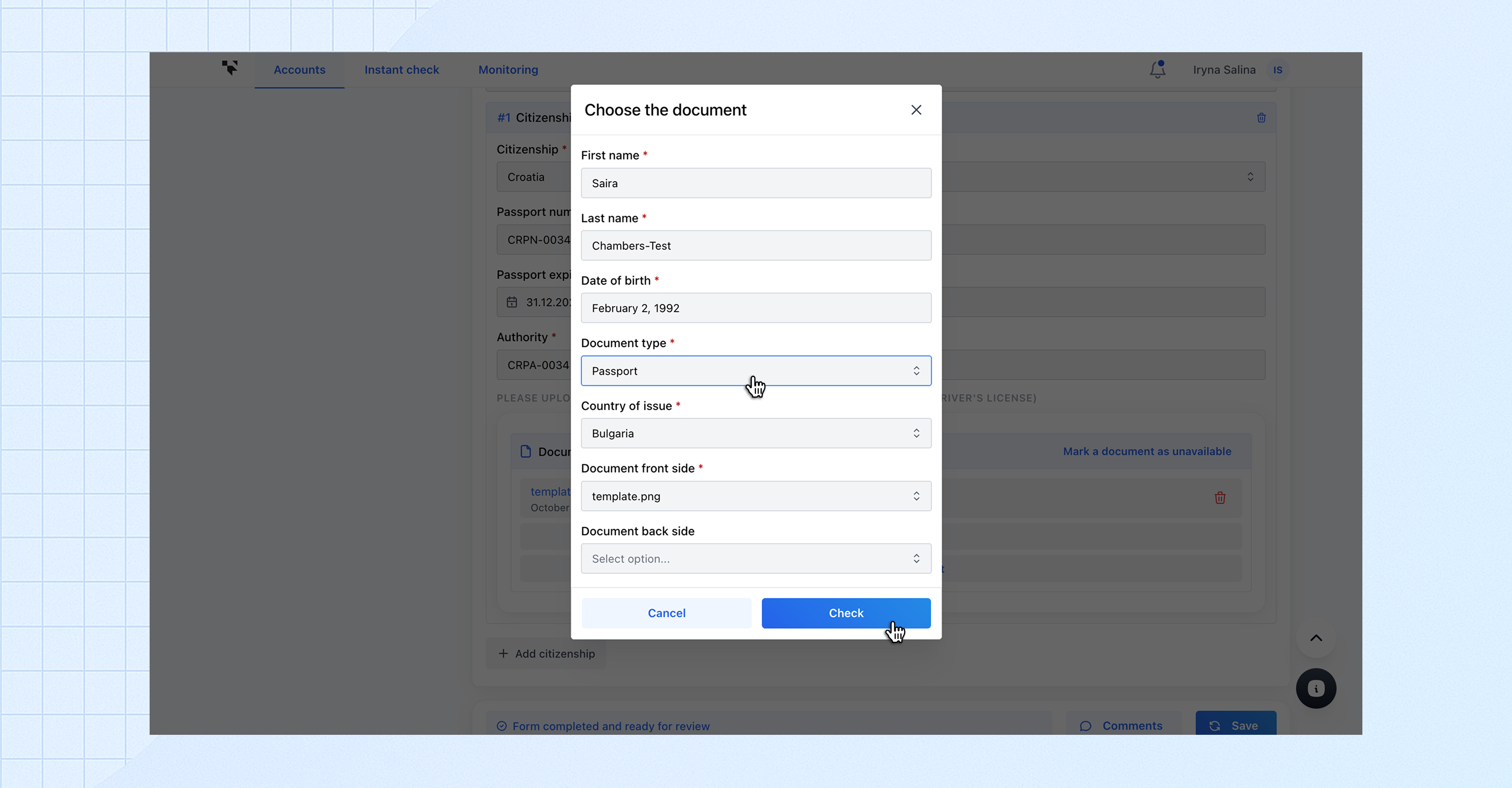
#### Confirm the details and run the check
In the pop-up window:
* Ensure *First name*, *Last name* and *Date of birth* are pre-filled correctly
* Select the **Document type** and **Country of issue**
* Confirm the uploaded document files
* Click **Check** and wait for the processing to complete
{% endstep %}
{% step %}
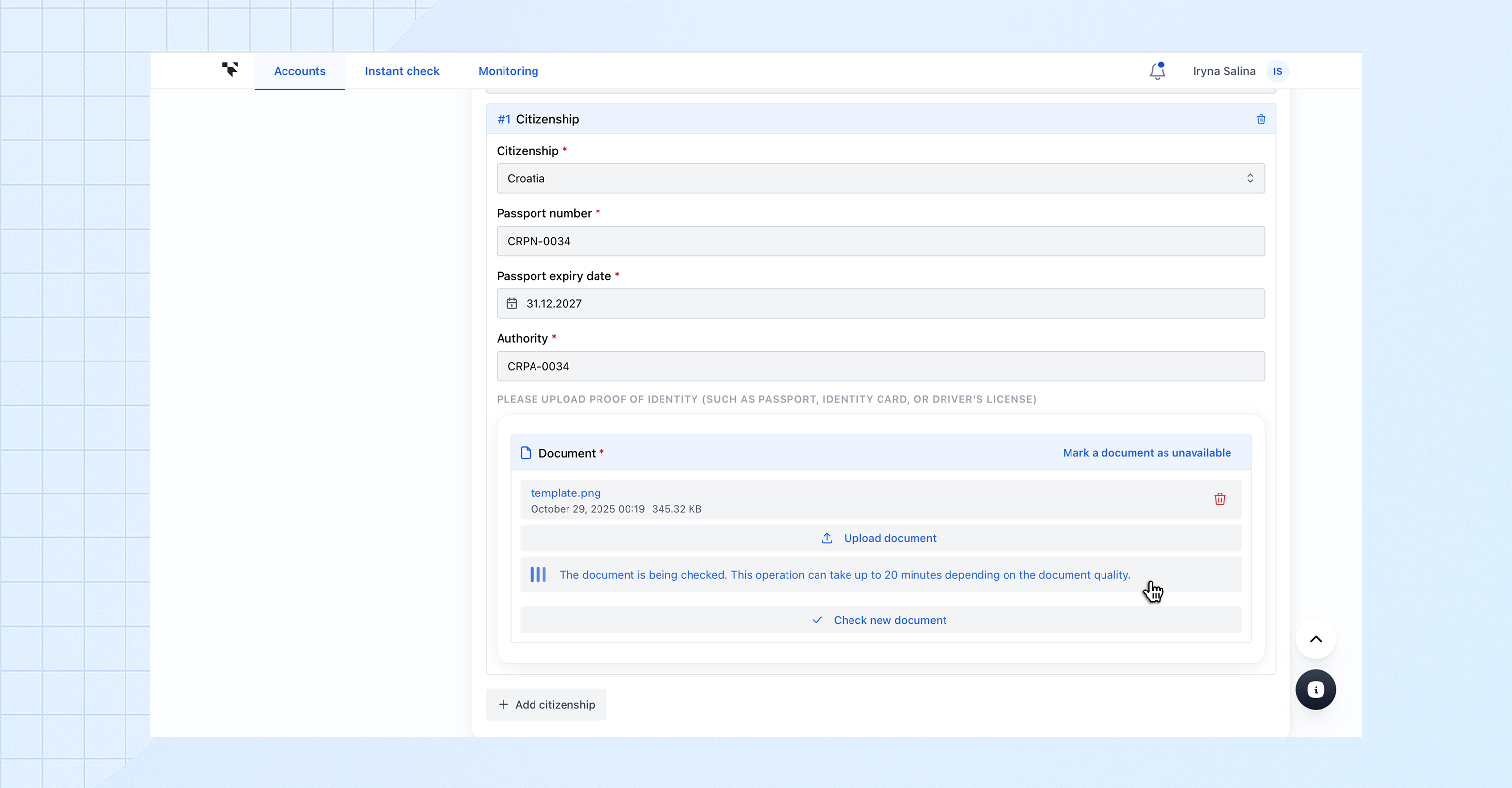
#### Review the result
Trustform will display the verification result with detailed findings directly in the **Proof of Identity** section.
{% hint style="info" %}
If needed, you can upload additional documents and run the verification again — multiple identity documents can be checked for the same applicant.
{% endhint %}
{% endstep %}
{% endstepper %}
## Troubleshooting
If an error occurs during processing, an error message will appear in the Proof of Identity section with a description of the issue.